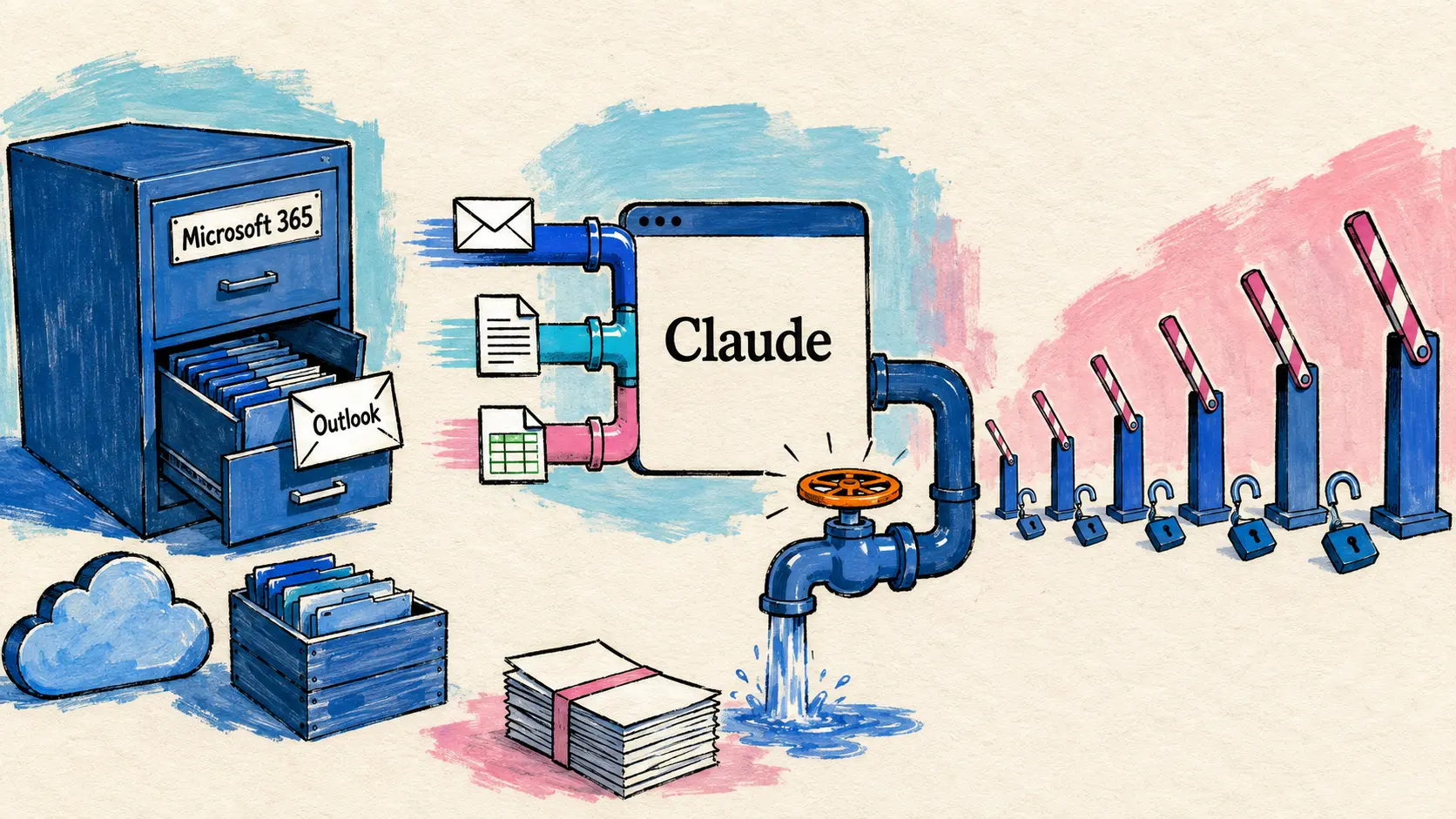
3 अप्रैल 2026 को, Anthropic अपने सभी Claude subscriptions में Microsoft 365 connectors को सामान्य रूप से उपलब्ध कराता है। अपनी ओर से, GitHub Copilot cloud agent के लिए दो सुरक्षा सुधार जारी करता है: commits अब signed और verified हैं, और firewall को संगठन-स्तर पर प्रबंधित किया जा सकता है। Gemini CLI native sandboxing और git worktrees support के साथ अपना version 0.36.0 जारी करता है, जबकि Manus agent LINE के माध्यम से उपलब्ध हो जाता है।
Microsoft 365 सभी Claude plans से जुड़ा
3 अप्रैल — Microsoft 365 connectors (Outlook, OneDrive, SharePoint) अब सभी Claude plans पर उपलब्ध हैं: Free, Pro, Max, Team और Enterprise।
अब तक premium subscriptions तक सीमित रहे ये connectors emails, Word documents, Excel spreadsheets और SharePoint files को बिना manual copy-paste के सीधे Claude conversation में लाने की सुविधा देते हैं। Activation personalization settings से की जाती है।
Microsoft 365 connectors are now available on every Claude plan. Connect Outlook, OneDrive, and SharePoint to bring your email, docs, and files into the conversation.
🇮🇳 Microsoft 365 connectors अब सभी Claude plans पर उपलब्ध हैं। अपने email, documents और files को conversation में लाने के लिए Outlook, OneDrive और SharePoint को connect करें। — X पर @claudeai
Copilot cloud agent: signed commits और संगठन-स्तरीय firewall
3 अप्रैल — GitHub एक ही दिन में Copilot cloud agent के लिए दो सुरक्षा सुधार जारी करता है।
Signed commits (Verified badge)
Copilot cloud agent अब अपने द्वारा बनाए गए हर commit को sign करता है। Commits GitHub पर “Verified” badge के साथ दिखाई देते हैं, जिससे उनकी authenticity सुनिश्चित होती है।
मुख्य प्रभाव practical है: agent अब उन repositories में काम कर सकता है जिनमें “Require signed commits” branch protection rule सक्रिय है। पहले यह rule agent को पूरी तरह block कर देता था।
संगठन-स्तर पर managed firewall
Copilot cloud agent का firewall — जो prompt injection और data exfiltration से सुरक्षा देता है — अब organization level पर configure किया जा सकता है, केवल repo-by-repo नहीं।
Organization administrators कर सकते हैं:
| Parameter | Description |
|---|---|
| Global activation | सभी repositories के लिए firewall activate या deactivate करना |
| Recommended allowlist | GitHub द्वारा recommended allowlist activate या deactivate करना |
| Custom org allowlist | सभी repositories को cover करने वाली entries जोड़ना (जैसे: internal package registry) |
| Repo admins को delegation | Repository admins को अपनी entries जोड़ने की अनुमति देना या न देना |
Default रूप से, हर repository अपनी current settings बनाए रखती है — migration forced नहीं है।
🔗 Changelog — organization firewall
Gemini CLI v0.36.0: native sandboxing और Git worktrees
1 अप्रैल — Google ने Gemini CLI का version 0.36.0 कई सुरक्षा और productivity सुधारों के साथ जारी किया।
Native sandboxing — Subagents के लिए multi-registry architecture के साथ दो मुख्य platforms पर native sandboxing आती है: macOS Seatbelt और Windows। ये mechanisms subagents के execution को isolate करते हैं ताकि file system तक unauthorized access के risks सीमित किए जा सकें।
Git worktrees support — Gemini CLI git worktrees को natively support करता है, जिससे एक ही repository पर समानांतर रूप से कई isolated work sessions बनाए रखे जा सकते हैं। कई branches पर simultaneously काम करने के लिए उपयोगी।
Refreshed Composer interface — Composer interface को बेहतर readability और अधिक reliable terminal interaction के लिए फिर से बनाया गया है।
Subagents के लिए JIT context injection — Subagents को on-demand context injection (Just-In-Time) मिलता है, साथ में अधिक resilient tool rejection system है जो error की स्थिति में contextual feedback देता है।
| Feature | Description |
|---|---|
| Multi-Registry Architecture | Subagents के लिए multi-registry architecture |
| macOS Seatbelt | macOS native sandboxing |
| Windows Sandboxing | Windows native sandboxing |
| Git Worktree Support | एक ही repository पर isolated parallel sessions |
| JIT Context Injection | Subagents के लिए on-demand injected context |
| Refreshed Composer UX | Refreshed Composer interface |
Manus LINE पर उपलब्ध
3 अप्रैल — Manus (general AI agent) messaging app LINE से accessible है, जो खासकर Japan में popular है।
Activation तीन steps में होती है: Manus में “Agents” tab पर जाएं, “LINE” select करें और अपने smartphone से QR code scan करें, फिर account link होने के बाद एक message भेजें। Announcement Japanese account @ManusAI_JP के coordination में की गई। Manus पहले से Telegram के माध्यम से accessible था।
Claude Code v2.1.91 — विस्तारित MCP और bin/ plugins
2-3 अप्रैल — Claude Code version 2.1.91 पर पहुंचता है, जिसमें MCP और plugins की तरफ additions हैं।
सबसे उपयोगी बदलाव MCP tool results से संबंधित है: response को _meta["anthropic/maxResultSizeChars"] से annotate करके 500,000 characters तक का bulky result preserve करने के लिए force किया जा सकता है। यह database schemas या large API responses पर truncation के मामलों को हल करता है।
Plugins अब अपने executables को bin/ folder में embed कर सकते हैं, जिन्हें सीधे Bash tool से call किया जा सकता है। Fixes की ओर, --resume अब silent asynchronous write failures के दौरान history नहीं खोता।
| Feature | Description |
|---|---|
| MCP result size override | _meta["anthropic/maxResultSizeChars"] के माध्यम से 500K characters तक |
| Plugins bin/ | Bash tool से call किए जा सकने वाले embedded executables |
| Multi-line deep links | %0A को claude-cli://open?q= में accepted |
disableSkillShellExecution | Skills और plugins में inline shell execution disable करता है |
GitHub Copilot — GPT-5.1 Codex deprecation और CLI metrics
3 अप्रैल — Copilot का उपयोग करने वाली teams के लिए दो practical updates।
GPT-5.1 Codex deprecation (1 अप्रैल से effective) — GPT-5.1-Codex, GPT-5.1-Codex-Mini और GPT-5.1-Codex-Max variants को Copilot Chat, inline suggestions और agent modes में GPT-5.3-Codex से replace किया गया है। Enterprise administrators को model policies में GPT-5.3-Codex activate करना होगा; पुराने models हटाने के लिए कोई action जरूरी नहीं है।
🔗 Changelog — GPT-5.1 Codex deprecation
User-wise Copilot CLI metrics (2 अप्रैल) — Organization reports में अब individual user के हिसाब से Copilot CLI activity शामिल है, 1-day और 28-day reports के लिए। नई metrics cover करती हैं: sessions, requests, tokens used, और last known CLI version।
इसका क्या मतलब है
Microsoft 365 connectors को सभी Claude plans के लिए खोलना इस दिन का सबसे सीधे उपयोगी decision है: यह अपने work environment को Claude से connect करने के लिए subscription barrier हटाता है, जो अब तक usage को premium subscribers तक सीमित रखता था।
GitHub की ओर, Copilot cloud agent के दोनों security improvements एक ही दिशा में जाते हैं: strict security policies वाले enterprise environments में agent को operational बनाना। Signed commits और organization-level managed firewall उन concrete blockages का जवाब देते हैं जिनका सामना enterprise teams कर रही थीं।
Gemini CLI 0.36.0 ली गई direction की पुष्टि करता है: दोनों main platforms पर native sandboxing और parallel workflows के लिए Git worktrees support। ये additions Gemini CLI को उन teams के लिए एक serious tool के रूप में position करते हैं जो simultaneously कई branches पर काम करती हैं।
Sources
- X पर @claudeai — M365 connectors
- GitHub Changelog — Copilot signed commits
- GitHub Changelog — Copilot organization firewall
- Gemini CLI Changelog
- X पर @ManusAI — LINE पर Manus
- Claude Code v2.1.91 CHANGELOG
- GitHub Changelog — GPT-5.1 Codex deprecation
- GitHub Changelog — Copilot CLI metrics
इस दस्तावेज़ का fr संस्करण से hi भाषा में gpt-5.5 मॉडल का उपयोग करके अनुवाद किया गया है। अनुवाद प्रक्रिया के बारे में अधिक जानकारी के लिए, https://gitlab.com/jls42/ai-powered-markdown-translator देखें