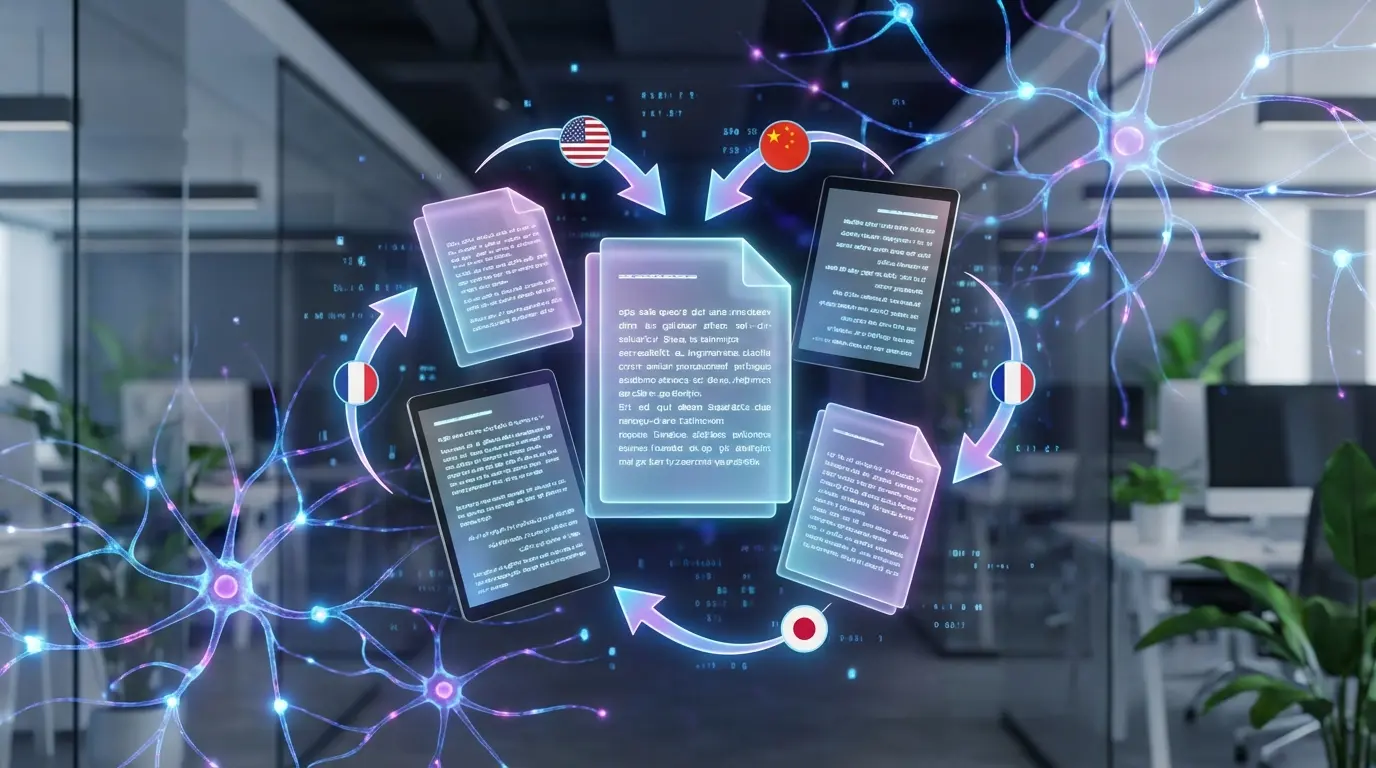
In this article, I share a Python script developed as a Proof of Concept (POC) to automate the translation of posts from my blog, using OpenAI’s GPT-4 language model. This script is specifically designed to process Markdown files, making the multilingual management of my articles easier. Translations are available via the language selector at the top of the page.
Project Kickoff: Merging AI and Automation for My Blog
This translation automation project for my blog posts was initiated by my growing fascination with artificial intelligence. Inspired by my preliminary experiences with the OpenAI GPT-4 and Mistral AI APIs, I was drawn to the idea of materializing these technologies in a practical project that would offer tangible value to my blog. It was not only a quest to master AI tools but also a desire to combine automation and innovation to enrich my online space.
The project turned into an adventure where AI was not just a writing topic but an active partner in development. The idea of translating my articles simply and effectively with AI, while exploring its automation capabilities, opened fascinating prospects. It was an opportunity to transcend language barriers, making my content accessible to a wider audience while navigating the ever-evolving field of artificial intelligence.
The Challenge
The main challenge was to create a script capable of translating accurately while preserving the original formatting of articles, including code blocks, links, and images. Another challenge was to ensure the script could be easily adapted to support different languages. It also had to be able to take this structure into account:
├── content│ ├── about│ │ └── a-propos-du-blog-jls42.md│ ├── mentions│ │ └── mentions-legales.md│ ├── posts│ │ ├── blog│ │ │ └── nouveau-theme-logo.md│ │ ├── ia│ │ │ ├── poc-mistral-ai-mixtral.md│ │ │ ├── poc-openai-api-gpt4.md│ │ │ └── stable-difusion-aws-ec2.md│ │ ├── infrastructure│ │ │ └── infrastruture-as-code-serverless-ha-jls42-org.md│ │ └── raspberry-pi│ │ ├── glusterfs_distribue_replique_sur_raspberry_pi_via_ansible.md│ │ ├── initialisation-auto-de-raspbian-sur-raspberry-pi.md│ │ ├── installation-de-docker-sur-raspberry-pi-via-ansible.md│ │ └── installation-de-kubernetes-sur-raspberry-pi-via-ansible.mdThe Solution: An Innovative Script
I designed a Python script that relies on the OpenAI GPT-4 API to translate text while preserving non-text elements. Through a series of processing rules and the use of placeholders, the script can identify and exclude code blocks and other non-translatable elements, ensuring that the translated content remains faithful to the original.
Key Features
- Accurate Translation with GPT-4: The script uses OpenAI’s GPT-4 model to translate text from French to English, ensuring the quality and nuance of the original content are preserved.
- Formatting Preservation: Code blocks, URLs, and image paths are identified and left intact during translation, ensuring the original formatting is preserved.
- Multilingual Flexibility: The script is designed to be easily adaptable to different source and target languages, enabling a wide range of multilingual applications.
- Markdown File Support: Ability to translate documents written in Markdown while preserving their specific structure and formatting.
- Directory Translation Automation: Automatic translation of Markdown files found in a given directory and its subdirectories, facilitating the management of large volumes of content.
- Addition of a Translation Note: Automatically adds a translation note at the end of translated documents indicating the GPT model used for the translation.
- Easy Configuration and Customization: Customizable default settings for the API key, GPT model, source and target languages, and file directories, offering great flexibility of use.
- Performance Reporting: The script provides feedback on the time required to translate each file, allowing monitoring of its performance.
Script Code
The code is also available here : AI-Powered Markdown Translator
#!/usr/bin/env python3
import osimport argparseimport timefrom openai import OpenAIimport re
# Initialisation de la configuration avec les valeurs par défautDEFAULT_API_KEY = 'votre-clé-api-par-défaut'DEFAULT_MODEL = "gpt-4-1106-preview"DEFAULT_SOURCE_LANG = 'fr'DEFAULT_TARGET_LANG = 'en'DEFAULT_SOURCE_DIR = 'content/posts'DEFAULT_TARGET_DIR = 'traductions_en'
MODEL_TOKEN_LIMITS = {    "gpt-4-1106-preview": 4096,    "gpt-4-vision-preview": 4096,    "gpt-4": 8192,    "gpt-4-32k": 32768,    "gpt-4-0613": 8192,    "gpt-4-32k-0613": 32768}
# Fonction de traductiondef translate_with_openai(text, client, args):    """    Traduit le texte donné du langage source au langage cible en utilisant l'API OpenAI.
    Args:        text (str) : Le texte à traduire.        client : L'objet client OpenAI.        args : Les arguments contenant les informations sur le langage source, le langage cible et le modèle.
    Returns:        str : Le texte traduit.    """    # Détecter et stocker les blocs de code    code_blocks = re.findall(r'(^```[a-zA-Z]*\n.*?\n^```)', text, flags=re.MULTILINE | re.DOTALL)    placeholders = [f"#CODEBLOCK{index}#" for index, _ in enumerate(code_blocks)]
    # Remplacer les blocs de code par des placeholders    for placeholder, code_block in zip(placeholders, code_blocks):        text = text.replace(code_block, placeholder)
    # Création du message pour l'API    messages = [        {"role": "system", "content": f"Translate the following text from {args.source_lang} to {args.target_lang}, ensuring that elements such as URLs, image paths, and code blocks (delimited by ```) are not translated. Leave these elements unchanged."},        {"role": "user", "content": text}    ]
    # Envoi de la demande de traduction    response = client.chat.completions.create(        model=args.model,        messages=messages    )
    # Obtenir le texte traduit et remplacer les placeholders par les blocs de code originaux    translated_text = response.choices[0].message.content.strip()    for placeholder, code_block in zip(placeholders, code_blocks):        translated_text = translated_text.replace(placeholder, code_block)
    return translated_text
def add_translation_note(client, args):    """    Ajoute une note de traduction à un document.
    Args:        client : Le client de traduction.        args : Arguments supplémentaires.
    Returns:        La note de traduction formatée.    """    # Note de traduction en français    translation_note_fr = "Ce document a été traduit de la version française du blog par le modèle "    # Traduire la note en langue cible    translated_note = translate_with_openai(translation_note_fr + args.model, client, args)    # Formatage de la note de traduction    return f"\n\n**{translated_note}**\n\n"
# Traitement des fichiers Markdowndef translate_markdown_file(file_path, output_path, client, args):    """    Traduit le contenu d'un fichier markdown en utilisant l'API de traduction OpenAI et écrit le contenu traduit dans un nouveau fichier.
    Args:        file_path (str): Chemin vers le fichier markdown d'entrée.        output_path (str): Chemin vers le fichier de sortie où le contenu traduit sera écrit.        client: Client de traduction OpenAI.        args: Arguments supplémentaires pour le processus de traduction.
    Returns:        None    """    print(f"Traitement du fichier : {file_path}")    start_time = time.time()
    with open(file_path, 'r', encoding='utf-8') as f:        content = f.read()
    translated_content = translate_with_openai(content, client, args)
    # Ajouter la note de traduction à la fin du contenu traduit    translation_note = add_translation_note(client, args)    translated_content_with_note = translated_content + translation_note
    with open(output_path, 'w', encoding='utf-8') as f:        f.write(translated_content_with_note)
    end_time = time.time()    print(f"Traduction terminée en {end_time - start_time:.2f} secondes.")
def translate_directory(input_dir, output_dir, client, args):    """    Traduit tous les fichiers markdown dans le répertoire d'entrée et ses sous-répertoires.
    Args:        input_dir (str): Chemin vers le répertoire d'entrée.        output_dir (str): Chemin vers le répertoire de sortie.        client: Objet client de traduction.        args: Arguments supplémentaires pour la traduction.
    Returns:        None    """    for root, dirs, files in os.walk(input_dir, topdown=True):        # Exclure les dossiers qui commencent par "traductions_"        dirs[:] = [d for d in dirs if not d.startswith("traductions_")]
        for file in files:            if file.endswith('.md'):                file_path = os.path.join(root, file)                base, _ = os.path.splitext(file)                # Ajouter le nom du modèle utilisé dans le nom du fichier de sortie                output_file = f"{base}-{args.model}-{args.target_lang}.md"                relative_path = os.path.relpath(root, input_dir)                output_path = os.path.join(output_dir, relative_path, output_file)
                os.makedirs(os.path.dirname(output_path), exist_ok=True)
                if not os.path.exists(output_path):                    translate_markdown_file(file_path, output_path, client, args)                    print(f"Fichier '{file}' traité.")

def main():    """    Fonction principale pour traduire les fichiers Markdown.
    Args:        --source_dir (str): Répertoire source contenant les fichiers Markdown.        --target_dir (str): Répertoire cible pour sauvegarder les traductions.        --model (str): Modèle GPT à utiliser.        --target_lang (str): Langue cible pour la traduction.        --source_lang (str): Langue source pour la traduction.    """    parser = argparse.ArgumentParser(description="Traduit les fichiers Markdown.")    parser.add_argument('--source_dir', type=str, default=DEFAULT_SOURCE_DIR, help='Répertoire source contenant les fichiers Markdown')    parser.add_argument('--target_dir', type=str, default=DEFAULT_TARGET_DIR, help='Répertoire cible pour sauvegarder les traductions')    parser.add_argument('--model', type=str, default=DEFAULT_MODEL, help='Modèle GPT à utiliser')    parser.add_argument('--target_lang', type=str, default=DEFAULT_TARGET_LANG, help='Langue cible pour la traduction')    parser.add_argument('--source_lang', type=str, default=DEFAULT_SOURCE_LANG, help='Langue source pour la traduction')
    args = parser.parse_args()
    openai_api_key = os.getenv('OPENAI_API_KEY', DEFAULT_API_KEY)    with OpenAI(api_key=openai_api_key) as client:        translate_directory(args.source_dir, args.target_dir, client, args)
if __name__ == "__main__":    main()
A Closer Look at the Script
Module Imports
First, we have some necessary module imports, such as os, argparse, time and re. These modules are used to perform file system operations, parse command-line arguments, measure execution time, and perform text search-and-replace operations.
Constants
Next, we have defined constants, such as DEFAULT_API_KEY, DEFAULT_MODEL, DEFAULT_SOURCE_LANG, DEFAULT_TARGET_LANG, DEFAULT_SOURCE_DIR and DEFAULT_TARGET_DIR. These constants represent the default values used in the script, but they can be changed by specifying command-line arguments.
Function translate_with_openai
Next, we have the function translate_with_openai. This function takes text, an OpenAI client object, and arguments as parameters. It uses the OpenAI API to translate text from the source language to the target language. Here’s how it works:
- The function uses a regular expression to detect and store code blocks in the text. These code blocks are delimited by triple backticks (
). Les blocs de code sont stockés dans une liste appeléecode_blocks`. - The function then replaces the code blocks with placeholders in the text. The placeholders are strings of the form
#CODEBLOCK{index}#, whereindexis the index of the corresponding code block in the listcode_blocks. - The function creates a message for the OpenAI API. This message contains two parts: a system message that instructs the API to translate the text from the source language to the target language while leaving elements such as URLs, image paths, and code blocks unchanged, and a user message that contains the text to translate.
- The function sends the translation request to the API using the method
client.chat.completions.create(). It specifies the model to use and the messages to translate. - The API response contains the translated text. The function retrieves the translated text and replaces the placeholders with the original code blocks.
- Finally, the function returns the translated text.
Function add_translation_note
Next, we have the function add_translation_note. This function adds a translation note to a document. It takes an OpenAI client object and arguments as parameters. Here’s how it works:
- The function creates a translation note in French using the variable
translation_note_fr. - The function then uses the function
translate_with_openaito translate the translation note using the OpenAI API. The arguments passed totranslate_with_openaiinclude the French translation note and the other arguments. - The function formats the translated translation note by adding formatting characters.
- Finally, the function returns the formatted translation note.
Function translate_markdown_file
Next, we have the function translate_markdown_file. This function takes the path of an input Markdown file, the path of an output file, an OpenAI client object, and arguments as parameters. It translates the content of the Markdown file using the OpenAI translation API and writes the translated content to the output file.
This script not only improved the accessibility of my blog posts but also paved the way for new automation possibilities in multilingual content creation. It’s a step forward toward broader and more inclusive knowledge sharing.
User Experience and Processing Time
Usage Examples
# Création des répertoires ciblesjls42@Boo:~/blog/jls42$ mkdir content/traductions_en content/traductions_es
################################################ Demande de traduction à l'IA vers l'anglais ################################################jls42@Boo:~/blog/jls42$ python3 translate.py --source_dir content/ --target_dir content/traductions_enTraitement du fichier : content/posts/ia/stable-difusion-aws-ec2.mdTraduction terminée en 21.57 secondes.Fichier 'stable-difusion-aws-ec2.md' traité.Traitement du fichier : content/posts/ia/poc-openai-api-gpt4.mdTraduction terminée en 34.87 secondes.Fichier 'poc-openai-api-gpt4.md' traité.Traitement du fichier : content/posts/ia/poc-mistral-ai-mixtral.mdTraduction terminée en 62.47 secondes.Fichier 'poc-mistral-ai-mixtral.md' traité.Traitement du fichier : content/posts/raspberry-pi/installation-de-kubernetes-sur-raspberry-pi-via-ansible.mdTraduction terminée en 46.37 secondes.Fichier 'installation-de-kubernetes-sur-raspberry-pi-via-ansible.md' traité.Traitement du fichier : content/posts/raspberry-pi/installation-de-docker-sur-raspberry-pi-via-ansible.mdTraduction terminée en 10.08 secondes.Fichier 'installation-de-docker-sur-raspberry-pi-via-ansible.md' traité.Traitement du fichier : content/posts/raspberry-pi/initialisation-auto-de-raspbian-sur-raspberry-pi.mdTraduction terminée en 17.17 secondes.Fichier 'initialisation-auto-de-raspbian-sur-raspberry-pi.md' traité.Traitement du fichier : content/posts/blog/nouveau-theme-logo.mdTraduction terminée en 12.91 secondes.Fichier 'nouveau-theme-logo.md' traité.Traitement du fichier : content/posts/infrastructure/infrastruture-as-code-serverless-ha-jls42-org.mdTraduction terminée en 12.64 secondes.Fichier 'infrastruture-as-code-serverless-ha-jls42-org.md' traité.Traitement du fichier : content/mentions/mentions-legales.mdTraduction terminée en 11.90 secondes.Fichier 'mentions-legales.md' traité.Traitement du fichier : content/about/a-propos-du-blog-jls42.mdTraduction terminée en 18.72 secondes.Fichier 'a-propos-du-blog-jls42.md' traité.
################################################# Demande de traduction à l'IA vers l'espagnol #################################################jls42@Boo:~/blog/jls42$ python3 translate.py --source_dir content/ --target_dir content/traductions_es --target_lang esTraitement du fichier : content/posts/ia/stable-difusion-aws-ec2.mdTraduction terminée en 33.19 secondes.Fichier 'stable-difusion-aws-ec2.md' traité.Traitement du fichier : content/posts/ia/poc-openai-api-gpt4.mdTraduction terminée en 25.24 secondes.Fichier 'poc-openai-api-gpt4.md' traité.Traitement du fichier : content/posts/ia/poc-mistral-ai-mixtral.mdTraduction terminée en 58.78 secondes.Fichier 'poc-mistral-ai-mixtral.md' traité.Traitement du fichier : content/posts/raspberry-pi/installation-de-kubernetes-sur-raspberry-pi-via-ansible.mdTraduction terminée en 17.64 secondes.Fichier 'installation-de-kubernetes-sur-raspberry-pi-via-ansible.md' traité.Traitement du fichier : content/posts/raspberry-pi/installation-de-docker-sur-raspberry-pi-via-ansible.mdTraduction terminée en 19.60 secondes.Fichier 'installation-de-docker-sur-raspberry-pi-via-ansible.md' traité.Traitement du fichier : content/posts/raspberry-pi/initialisation-auto-de-raspbian-sur-raspberry-pi.mdTraduction terminée en 37.12 secondes.Fichier 'initialisation-auto-de-raspbian-sur-raspberry-pi.md' traité.Traitement du fichier : content/posts/blog/nouveau-theme-logo.mdTraduction terminée en 18.91 secondes.Fichier 'nouveau-theme-logo.md' traité.Traitement du fichier : content/posts/infrastructure/infrastruture-as-code-serverless-ha-jls42-org.mdTraduction terminée en 30.73 secondes.Fichier 'infrastruture-as-code-serverless-ha-jls42-org.md' traité.Traitement du fichier : content/mentions/mentions-legales.mdTraduction terminée en 13.14 secondes.Fichier 'mentions-legales.md' traité.Traitement du fichier : content/about/a-propos-du-blog-jls42.mdTraduction terminée en 11.24 secondes.Fichier 'a-propos-du-blog-jls42.md' traité.
Processing Time
- English : About 4 minutes (248.70 seconds)
- Spanish : About 4.7 minutes (284.05 seconds)
- Total combined : About 8.7 minutes (532.75 seconds) These times demonstrate the script’s efficiency and speed.
Results
Note : This example illustrates how the script worked with the blog’s previous Hugo structure. The blog has since been migrated to Astro with a new multilingual architecture. Translations are now accessible via the integrated language selector.
This blog post is a distillation of my experience in automating translation with AI. It’s proof that when you combine programming with artificial intelligence, the possibilities are nearly limitless, opening exciting new horizons in knowledge sharing and content accessibility.
This document was translated from the French version into English using the gpt-5-mini model. For more information on the translation process, see https://gitlab.com/jls42/ai-powered-markdown-translator